Digitize your online store's warehouse workflows
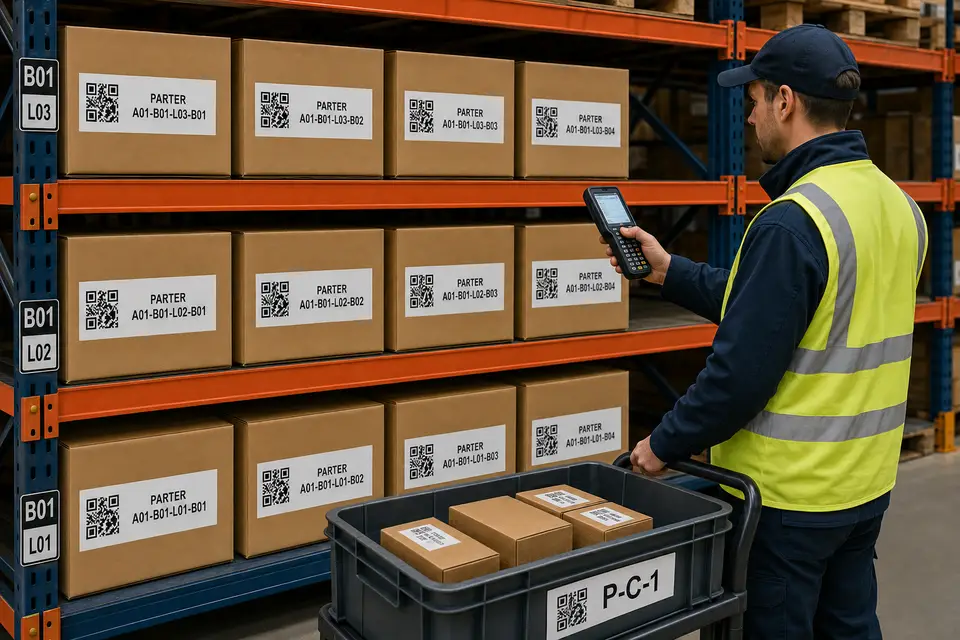
We automate your entire workflow, from order to delivery: fetching orders from your sales channels, automatically generating and printing invoices and shipping labels, and guiding your team step-by-step through picking and packing process via scanning, with zero errors.
The benefits Putaway WMS brings to your business
Eliminate stockouts and prevent overselling
Sync your inventory in real time across all sales channels to ensure you never sell what you don't have.
Eliminate costly errors
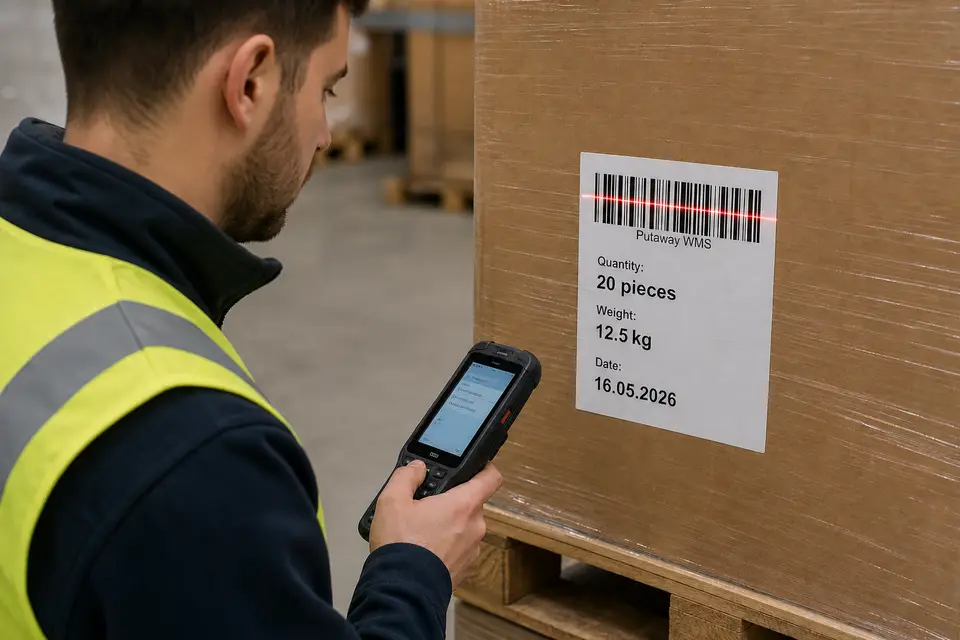
Validate every step through barcode scanning in Putaway WMS, from receiving to shipping.
Gain complete traceability, from receiving to shipping
Know exactly where every item is at any moment and at every stage of the process.
Turn any phone into a scanner
Use existing mobile devices for barcode scanning, without investing in expensive equipment.
Fulfill and ship orders faster
Optimize picking routes and warehouse workflows with our warehouse management system.
Scale order volume without hiring additional staff
Process more orders with the same team through simpler, faster, and more efficient workflows.
Work in the cloud, with no servers or dedicated hardware
Get started quickly, without local server installations, technical maintenance, or additional infrastructure.
Train new staff in hours, not weeks
Give your team clear, intuitive workflows that are easy to understand and follow from day one.
Still not convinced?
Here are more benefits you get with Putaway WMS
Live inventory by location
With the warehouse management system, you always know exactly where each product is located — in which area, which zone, and which specific location — without relying on someone remembering to update a spreadsheet.
Scan-based operations
AccuracyReceive and move stock by scanning barcodes, enter quantities or scan each product individually, choose the product condition at receiving, select batch and expiration details, and add serial numbers when needed.
Picking and packing with validation
The system guides you through the warehouse to pick products and pack orders, validating each location and each product by scan so the correct items are shipped every time.
Store integrations and catalog synchronization
Connect your MerchantPro store, synchronize all product data from your online store, and import orders directly into the WMS workflow.
Scan-based receiving, transfer/putaway, picking, packing, and shipping workflows
A simple flow your team follows every day — fast, measurable, and repeatable.
Receive
Receive supplier orders with scan-based validation: scan each product in the receiving area and confirm the quantity, condition, batch/expiration date, and serial numbers when required. Create goods receipt notes from the scanned products — no more “I think we received them.”
Transfer
Move received products between warehouse zones through putaway and transfer workflows: scan the source zone and the destination zone, then scan products or handling units — HU — to complete the transfer.
Pick
Guided picking directs operators step by step to scan locations and products according to the configured routes and picking list. Picking lists are grouped into picking carts for faster collection.
Pack
Packing is handled through a guided workflow that helps prevent order errors. Confirm the products in each order through individual scanning, then print the AWB/shipping label and/or invoice automatically or manually.
Ship
Confirm shipment by scanning the AWB/shipping label when the parcel is packed and handed over, keeping the list clean and giving the team clear visibility into what has been packed and shipped.
Frequently asked questions about Putaway WMS
What is Putaway?
Putaway is a cloud warehouse management system for online stores, with real-time inventory, barcode scanning, and scan-validated warehouse workflows.
How will Putaway help me?
Putaway helps reduce stockouts, overselling, picking mistakes, manual checks, and spreadsheet work. Your team scans locations and products, sees stock in real time, and ships faster.
Can Putaway be used for companies that do not have an online store?
Yes. Putaway can manage warehouse stock, locations, scanning, and operational flows for offline stores too.
Do we need special hardware?
No. The system runs in the browser. You can scan with a phone camera or with handheld barcode scanners, on desktop, tablets, or mobile.
How do you prevent inventory mistakes?
Operations are validated through scanning: location, product code, quantity, and condition, plus batch/expiration date and serial numbers when required. For maximum accuracy, we recommend scanning each item individually instead of entering quantities manually.
Who is Putaway for?
Putaway is built for teams that need simple workflows and better control over receiving, transfers, picking, packing, shipping, stock locations, and traceability.
Is the Putaway platform secure?
Yes. Putaway is built on a multi-tenant architecture, with strict data isolation for each client and role-based access control. Personal data is protected through encryption, and the platform allows it to be anonymized when needed, giving you better control over sensitive information.
How fast can we go live?
You can get started right away by creating an account and testing the platform free of charge for 30 days. After registration, you configure the basic settings, create your warehouse and stock locations, then print the labels needed for scanning. Once the setup is complete, you can receive goods into the system and transfer them to the appropriate warehouse locations. If you need help, you can consult the documentation or contact us through the in-platform support system or by email.
Does it work with multiple stores and warehouses?
Yes. The system supports managing multiple warehouses and connecting multiple online stores. Once orders are imported, they can be routed to the appropriate warehouse for picking based on stock availability: either the warehouse that can fulfill the entire order or the one with the highest available stock for the ordered products.
Do you support lots, expiry dates, and serial numbers?
Yes. For perishable or serializable products you can capture lots, expiry dates, and serial numbers during receiving and stock movements.
Ready to replace spreadsheets with scan-based warehouse control?
Putaway WMS eliminates the spreadsheets and manual checks that slow down your online store warehouse. Scan products, track inventory in real time, and fulfill orders faster — with fewer errors and clearer control over every warehouse operation. Cloud-based and ready to use without servers, local installations, or complex setup.
Try it free for 30 days